Cut Grass Adventure Official Links
Verified Roblox destinations for +1 Cut Grass Adventure — no fake code sites.
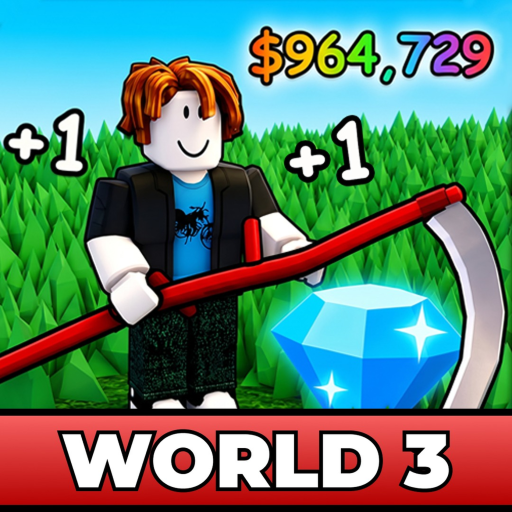
Use these official links when you need the real Cut Grass Adventure destination. Fan sites (including this wiki) can be wrong; Roblox pages under Grassini are the source of truth.
Primary experience
- Play: +1 Cut Grass Adventure on Roblox
- Creator: Grassini (group)
- Universe ID: 10410945205
- Root place ID: 90086669327265
If the creator or IDs do not match, you are in the wrong grass game. Temporary title prefixes such as [X2] can appear during boost windows — that is still this experience if the place ID matches (X2 Event Guide).
Creator group
- Grassini group: roblox.com/groups/113072261
- Join for shouts that may include codes or update pings. Cross-check rewards on the Codes Hub before redeeming.
- After any group announcement, skim What’s New for the player checklist.
Community links policy
We only publish Discord, Trello, or social URLs when they are clearly tied to Grassini or the experience description. Missing links mean “not verified yet,” not “go google a random invite.” Scam invites thrive on impatient players.
Safe habits
- Bookmark the Roblox experience, not a redirect blog
- Redeem codes in-game (How to Redeem Codes)
- Never type passwords into third-party “official” forms
- Treat script sites as unofficial (Script Safety)
Wiki quick jumps after you finish here
- New player → Getting Started
- Spend plan → Tier List Hub
- Session plan → Tools Hub
- Patch reaction → Updates Hub
- Broader link map → Links Hub
Stay on the Grassini path, cut with confidence, and ignore clones that only share a lawn aesthetic.
Verifying links after Roblox UI redesigns
Roblox changes layouts often. If a button moved, rely on place ID 90086669327265 and universe ID 10410945205 rather than memory of where the green thumbnail sat on your home screen. When sharing links in videos, flash those IDs on screen for a second — it dramatically cuts “wrong game” comments.
For press or wiki forks, cite Grassini as creator and keep fan disclaimers visible. Clear attribution protects players and respects the studio.
Classroom and content-house link hygiene
If you run a group activity, paste the official experience URL into a pinned document with the place ID written in plain text. Thumbnails get reused by clones; IDs do not. Ban shared password accounts for script testing — that habit leaks into phishing tolerance. Point everyone at the Links Hub for wiki satellites and keep legal/branding disclaimers visible in descriptions. Healthy link hygiene is dull, which is exactly why it works for Cut Grass Adventure communities that want to grow past day-one confusion.
Mobile bookmarking tips
On phones, use Roblox’s in-app browser carefully — prefer opening the experience from your Continue list after favouriting it once via the official URL above. External browsers sometimes land on search pages full of lookalike grass games. After you favourite Grassini’s place, star this Official Links page in your browser too so codes research and play launch stay one swipe apart. When a friend sends a shortened URL, expand it and confirm the numeric place ID before joining. Sixty seconds of verification prevents an hour of confusion inside the wrong incremental.
Linking wiki strategy to the live game
Once the official page is bookmarked, decide your next wiki click with intent: stuck on damage means Strength Training, empty wallet means Loot and Sell, and prestige anxiety means How to Rebirth. Official Links gets you into the correct server; the rest of this wiki teaches what to do once the grass loads. That division of labour keeps this page focused on identifiers that actually matter.
Final verification mantra
Before you join, recite: correct title, Grassini creator, place ID 90086669327265. If any check fails, stop. Teach the mantra to newer players in your server. Pair it with bookmarking the Codes Hub and Patch Notes so official play and official-adjacent info stay coupled. Mantras sound silly until they save someone from a stolen account on a fake “admin code” place. Dull habits win ugly threats.
Frequently Asked Questions
Quick answers for Cut Grass Adventure on Roblox.
Why do you list universe and place IDs?
So you can verify clones. Same thumbnail style does not mean same game.
Is cutgrassadventuree.wiki official?
No — fan wiki. Official play links always point to Roblox.
Where should I report bugs?
Use Grassini’s channels linked from the experience page when available; this wiki does not replace studio support.